

Choosing the right all-in-one POS terminal involves more than comparing operating systems or hardware specifications. For POS distributors, software providers, and system integrators, the decision affects software compatibility, checkout efficiency, peripheral integration, and long-term deployment.
Android and Windows POS terminals both support modern retail operations, but they are designed for different software environments and business requirements.
In this guide, we compare two NORYOX 11-inch all-in-one POS terminals: the DP11 Android 16 Desktop POS Terminal and the NB11W Windows 11 POS Terminal.
We’ll explore their key differences in software compatibility, receipt printing, customer displays, barcode scanning, connectivity, and hardware configuration to help B2B buyers select the right solution.
1. Android vs Windows POS: What’s the Main Difference?
The most important difference between Android and Windows POS terminals is their software ecosystem.
Android All-in-One POS Terminals
Android POS terminals run compatible Android applications and are commonly considered for retail projects built around Android-based software.
They are suitable for businesses evaluating:
- Android POS applications and customized checkout software
- Integrated barcode scanning and receipt printing
- Compact all-in-one checkout hardware
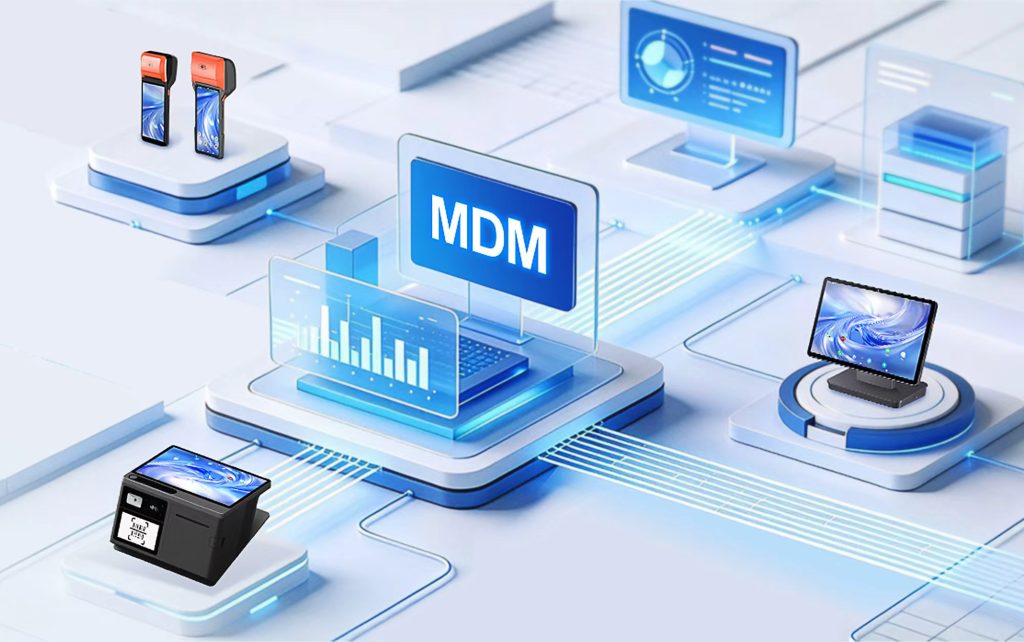
- Remote device management and application deployment
- OEM/ODM hardware customization
For POS software providers developing Android applications, choosing compatible Android hardware can simplify integration and deployment planning.
Windows All-in-One POS Terminals
Windows POS terminals support compatible Windows-based software, making them particularly relevant for businesses with existing Windows applications.
They may be suitable for:
- Retailers using Windows-based POS software
- System integrators maintaining existing Windows applications
- Projects requiring compatible Windows peripheral drivers
- Businesses upgrading older Windows POS equipment
- Distributors serving customers with Windows software requirements
B2B buying tip: Before comparing processors or memory, confirm which operating system your POS software requires.
2. Hardware Comparison: NORYOX DP11 vs NB11W
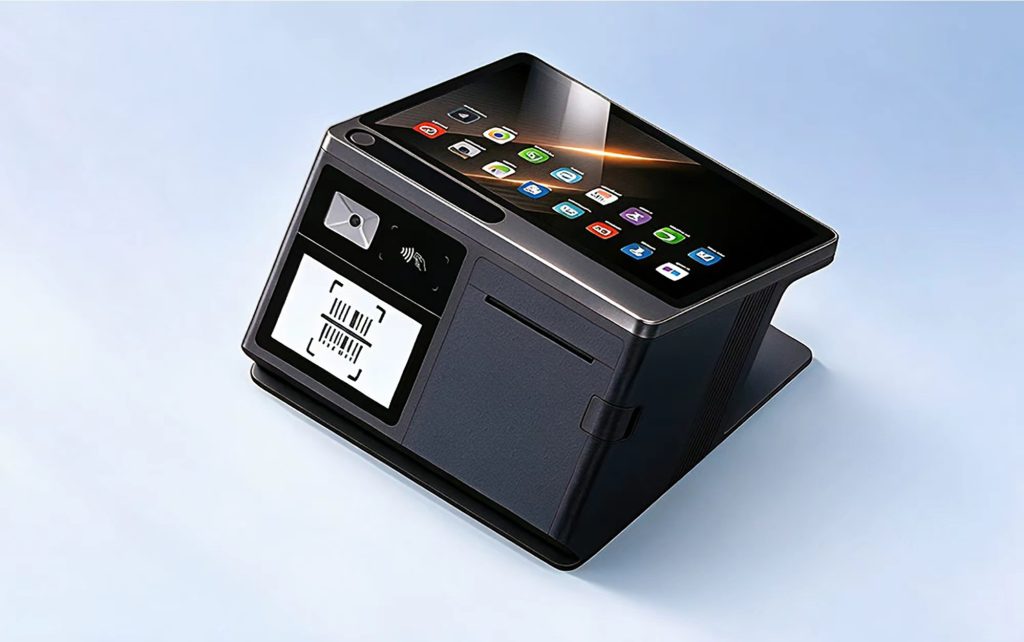
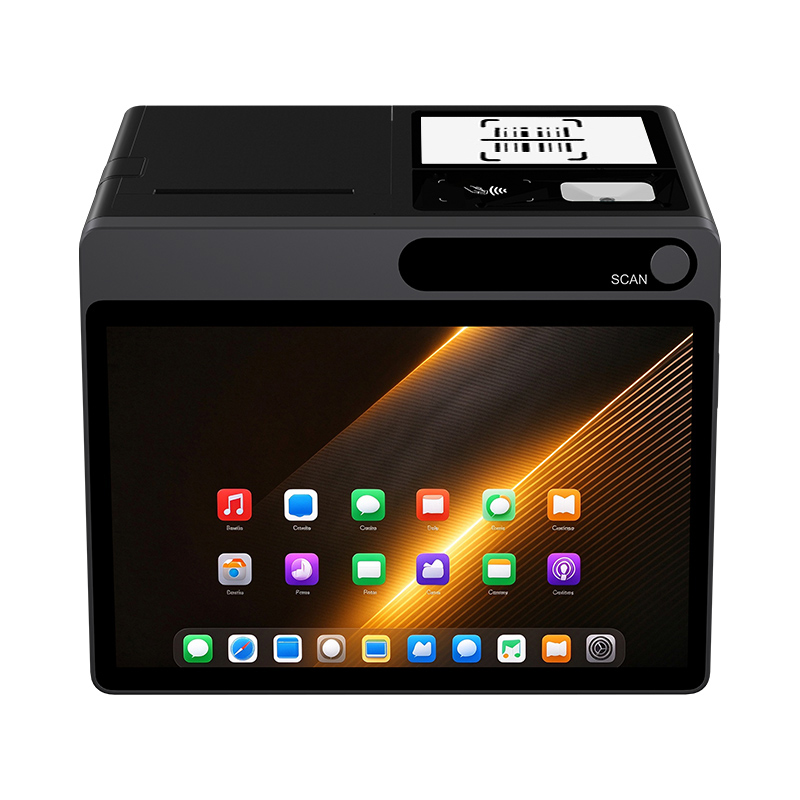
Both the NORYOX DP11 and NB11W feature an 11-inch touchscreen, integrated receipt printer, barcode scanner, NFC, and peripheral interfaces.
However, their configurations offer different advantages for commercial deployment.
| Feature | NORYOX DP11 | NORYOX NB11W |
|---|---|---|
| Operating System | Android 16 | Windows 11 |
| Processor | RK3572 Octa-Core | Intel N95 Quad-Core |
| RAM & Storage | 6GB + 128GB | 4GB + 64GB / 6GB + 128GB |
| Main Display | 11-inch IPS | 11-inch IPS |
| Resolution | 1280×800, optional 1920×1200 | 1920×1200 |
| Customer Display | 4.3-inch IPS, 480×800 | 2.4-inch LCD |
| Barcode Scanner | Integrated 1D/2D, 3MP auto scan | Integrated 1D/2D |
| Receipt Printer | 80mm, optional 58mm | 80mm / 58mm |
| Automatic Cutter | Yes | Not specified |
| Maximum Paper Roll Diameter | 80mm | 60mm |
| NFC | ISO/IEC 14443 A/B, Mifare1, SL3, FeliCa | ISO/IEC 14443 A/B, Mifare1 |
| Wi-Fi | Dual-band, Wi-Fi 6 | Dual-band Wi-Fi |
| Cellular Network | 4G LTE | Not specified |
| Bluetooth | 5.2 | Supported |
| USB | 2× USB 3.0 + 2× USB 2.0 | 4× USB-A + Type-C |
| Ethernet | RJ45 | RJ45 |
| Cash Drawer Interfaces | RJ11, RJ12 | RJ11, RJ12 |
Specifications and available configurations may vary by project. Buyers should confirm the required printer configuration, software compatibility, and peripheral integration before ordering.
The comparison shows that DP11 provides a newer Android platform, a larger customer display, and a specified automatic cutter.
NB11W provides a Windows environment and multiple memory configurations for different project requirements.
Neither device is universally better. The right choice depends on the software and checkout workflow.
3. Software Compatibility: The First Priority for B2B Buyers
For most POS software companies and system integrators, software compatibility is the starting point for hardware selection.
DP11: Android 16 for Android-Based POS Applications
The NORYOX DP11 runs Android 16 and is powered by an RK3572 octa-core processor.
It provides a hardware platform for businesses developing or deploying compatible Android POS applications.
For software integration projects, buyers should evaluate:
- Android 16 application compatibility
- Integrated barcode scanner access
- Receipt printer integration
- NFC application requirements
- SDK availability and technical support
- Device management requirements
For Android-based retail solutions, the DP11 combines multiple checkout functions in one terminal.
NB11W: Windows 11 for Windows-Based POS Software
The NORYOX NB11W runs Windows 11 with an Intel N95 processor.
It is available in two memory configurations:
- 4GB RAM + 64GB storage
- 6GB RAM + 128GB storage
These options allow buyers to select a configuration based on their software requirements and purchasing needs.
For businesses already using Windows POS applications, NB11W may provide a suitable hardware environment without requiring a migration to Android.
However, software providers should still test their applications, printer drivers, scanner integration, and connected peripherals before bulk deployment.
Key takeaway: Choose the operating system that supports your software rather than selecting hardware solely because it uses a newer platform.
4. Receipt Printing: Auto Cutter, Paper Width, and Roll Capacity
Integrated receipt printing is an important advantage of all-in-one POS terminals.
It helps reduce the need for a separate receipt printer and can create a more compact checkout station.
DP11: 80mm Printer with Automatic Cutter
The DP11 features an integrated thermal receipt printer with an automatic cutter.
Its printing configuration includes:
- Standard 80mm paper width
- Optional 58mm paper configuration
- Automatic cutter
- Maximum paper roll diameter of 80mm
The automatic cutter is particularly useful in retail environments with frequent receipt printing.
Instead of manually tearing each receipt, staff can complete the printing process more efficiently.
The larger supported paper roll diameter may also reduce roll replacement frequency, depending on transaction volume and receipt length.
NB11W: 80mm and 58mm Printing Options
The NB11W supports both 80mm and 58mm receipt paper widths.
Its maximum supported paper roll diameter is 60mm.
This makes it suitable for projects that require different receipt formats or existing paper supply arrangements.
The current specification does not confirm an automatic cutter for NB11W. Buyers requiring this feature should verify availability before ordering.
Which Printer Configuration Is Better?
For high-frequency checkout environments where automatic receipt cutting is important, DP11 offers a clear advantage.
For projects requiring flexible paper widths, both models can be evaluated, with DP11 offering an optional 58mm configuration.
Buyers should also consider printing speed, application compatibility, and receipt format requirements during sample testing.
5. Customer Displays and Barcode Scanning
Customer-facing displays and barcode scanners can improve checkout workflows when properly integrated with POS software.
Customer Display: 4.3-inch vs 2.4-inch
The DP11 features a 4.3-inch IPS customer display with 480×800 resolution.
The NB11W features a 2.4-inch LCD customer display.
The larger DP11 screen provides more display area for compatible customer-facing information, such as transaction totals, order details, or checkout instructions.
For projects requiring only basic transaction information, the smaller NB11W display may be sufficient.
The actual information shown depends on the POS software and display integration.
Integrated 1D/2D Barcode Scanning
Both terminals include integrated 1D/2D barcode scanners.
The DP11 specification additionally identifies a 3MP automatic scanning module.
Integrated scanning can reduce reliance on external barcode scanners and help maintain a compact checkout setup.
For B2B projects, buyers should test scanning performance with their actual product labels, QR codes, and software applications.
6. Connectivity and Peripheral Integration
Retail POS terminals often need to connect with cash drawers, local networks, and other business equipment.
Both DP11 and NB11W provide multiple physical interfaces.
DP11 Connectivity
The DP11 includes:
- 2× USB 3.0
- 2× USB 2.0
- RJ45 Ethernet
- RJ11 and RJ12 interfaces
- Dual-band Wi-Fi with Wi-Fi 6 support
- 4G LTE connectivity
- Bluetooth 5.2
The availability of 4G LTE provides an additional network option for projects where cellular connectivity is required.
NB11W Connectivity
The NB11W includes:
- 4× USB-A
- Type-C interface
- RJ45 Ethernet
- RJ11 and RJ12 interfaces
- Dual-band Wi-Fi
- Bluetooth support
These connections can support compatible Windows-based retail peripherals and network equipment.
For both devices, system integrators should verify interface specifications, peripheral drivers, and software communication before deployment.
7. NFC and Contactless Payment Integration
Both terminals include NFC hardware, but their listed protocol support differs.
DP11 NFC support:
- ISO/IEC 14443 Type A/B
- Mifare1
- SL3
- FeliCa
NB11W NFC support:
- ISO/IEC 14443 Type A/B
- Mifare1
These specifications may be relevant for projects involving NFC cards, identification, or compatible contactless applications.
However, NFC support alone does not guarantee compatibility with a particular SoftPOS payment application.
Payment solution providers should confirm operating system support, device security requirements, application compatibility, and relevant certifications before deployment.
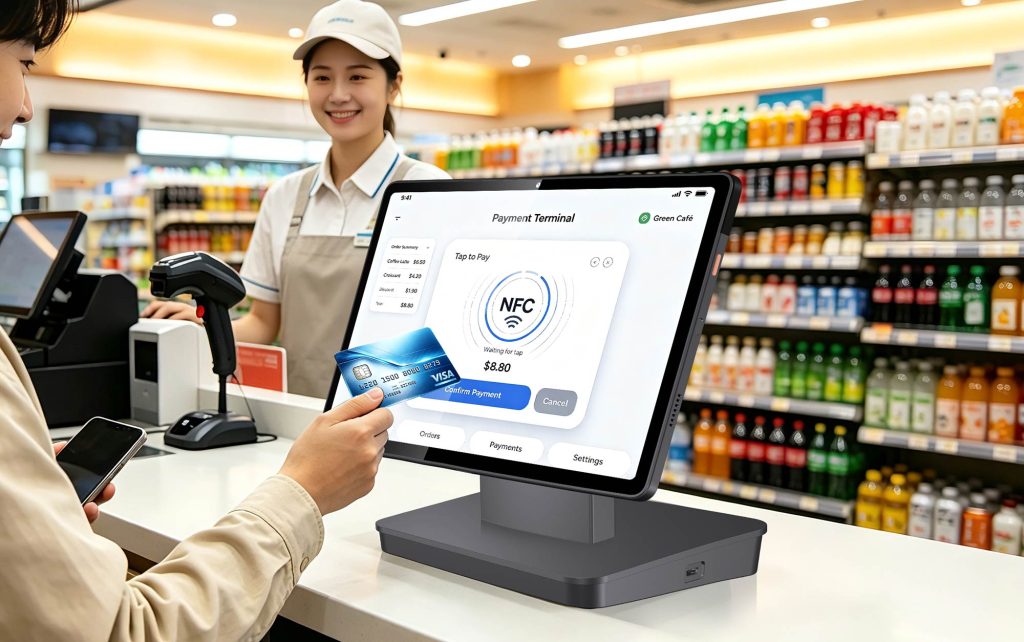
For Android-based contactless payment projects, DP11 offers an NFC-equipped platform for technical evaluation.
8. Android or Windows: Which POS Terminal Fits Your Project?
Different commercial applications have different hardware priorities.
The following table provides a practical starting point for B2B buyers.
| Business Requirement | Recommended Model to Evaluate | Reason |
|---|---|---|
| Android POS software deployment | DP11 | Android 16 operating environment |
| Existing Windows POS application | NB11W | Windows 11 compatibility |
| Automatic receipt cutting | DP11 | Integrated auto cutter |
| Larger customer-facing display | DP11 | 4.3-inch IPS screen |
| 58mm receipt paper | Both | DP11 optional; NB11W supported |
| Cellular connectivity | DP11 | Built-in 4G LTE |
| Multiple memory configurations | NB11W | 4GB+64GB / 6GB+128GB |
| Integrated barcode scanning | Both | Built-in 1D/2D scanner |
| Integrated receipt printing | Both | Built-in thermal printer |
| Windows peripheral software | NB11W | Windows operating environment |
For POS Software Providers
Start with the operating system and application compatibility.
Confirm printer APIs, barcode scanner integration, and peripheral support before selecting a device.
For POS Distributors
Evaluate customer software requirements, available hardware configurations, target markets, and after-sales support.
Different customers may require Android or Windows platforms, so offering both can help address a wider range of projects.
For Retail System Integrators
Focus on complete checkout workflows rather than individual specifications.
Test the actual process, including product scanning, transaction handling, customer display output, receipt printing, and cash drawer operation.
9. What Should B2B Buyers Check Before Bulk Ordering?
Before purchasing all-in-one POS terminals for a commercial project, consider the following checklist.
1. Software Compatibility
Does the device support the required Android or Windows POS application?
2. Printer Requirements
Do you need 80mm or 58mm receipt paper? Is an automatic cutter necessary?
3. Customer Display
Will the customer-facing screen show only transaction amounts, or does the application require more detailed information?
4. Barcode Scanning
Can the integrated scanner read the required barcode types and communicate with the POS software?
5. Connectivity
Does the installation require Ethernet, Wi-Fi, or cellular networking?
6. Hardware Configuration
Which memory and storage configuration is appropriate for the application?
7. Customization and Support
Does the project require OEM/ODM customization, software integration, technical documentation, or ongoing device support?
For larger deployments, requesting sample devices and testing the complete checkout workflow can help reduce integration risks.
10. Frequently Asked Questions
Is Android POS better than Windows POS?
Neither operating system is better for every application. Android POS terminals are suitable for compatible Android-based software, while Windows POS terminals are relevant for businesses using Windows applications. The right choice depends on software and deployment requirements.
Can Android POS terminals replace Windows POS terminals?
They can in some projects, but not automatically. Businesses must confirm whether their existing POS software, peripherals, and integrations are compatible with Android before migrating.
Does the NORYOX DP11 support 58mm receipt paper?
Yes. The DP11 features an integrated 80mm receipt printer, with a 58mm printing configuration available as an option. It also includes an automatic cutter.
What memory configurations are available for NB11W?
The NORYOX NB11W is available with 4GB RAM + 64GB storage or 6GB RAM + 128GB storage.
Do both DP11 and NB11W support barcode scanning?
Yes. Both terminals include integrated 1D/2D barcode scanning capabilities.
Can these terminals be customized for B2B projects?
NORYOX provides OEM/ODM hardware and integration services. Available customization options depend on the model, project requirements, and order details.
Conclusion: Choose the Right All-in-One POS Terminal for Your Business
Android and Windows all-in-one POS terminals serve different business requirements.
The NORYOX DP11 combines Android 16, an integrated receipt printer with automatic cutter, a 4.3-inch customer display, barcode scanning, NFC, and multiple connectivity options.
The NORYOX NB11W provides a Windows 11 environment, an Intel N95 processor, two memory configurations, integrated scanning, NFC, and support for 80mm and 58mm receipt printing.
For Android-based retail applications, DP11 is worth evaluating. For businesses using Windows-based POS software, NB11W may be a suitable option.
The best purchasing decision comes from matching the hardware to the software, checkout workflow, and long-term deployment requirements.
Looking for an All-in-One POS Terminal for Your Project?
NORYOX provides Android and Windows POS hardware for distributors, software developers, system integrators, and commercial deployments.
Explore our products:
NORYOX DP11 Android 16 Desktop POS Terminal
NORYOX NB11W Windows POS Terminal
Contact NORYOX to discuss your POS software requirements, target market, estimated order quantity, and customization needs.