

How to Manage Android POS Devices Across Multiple Retail Locations
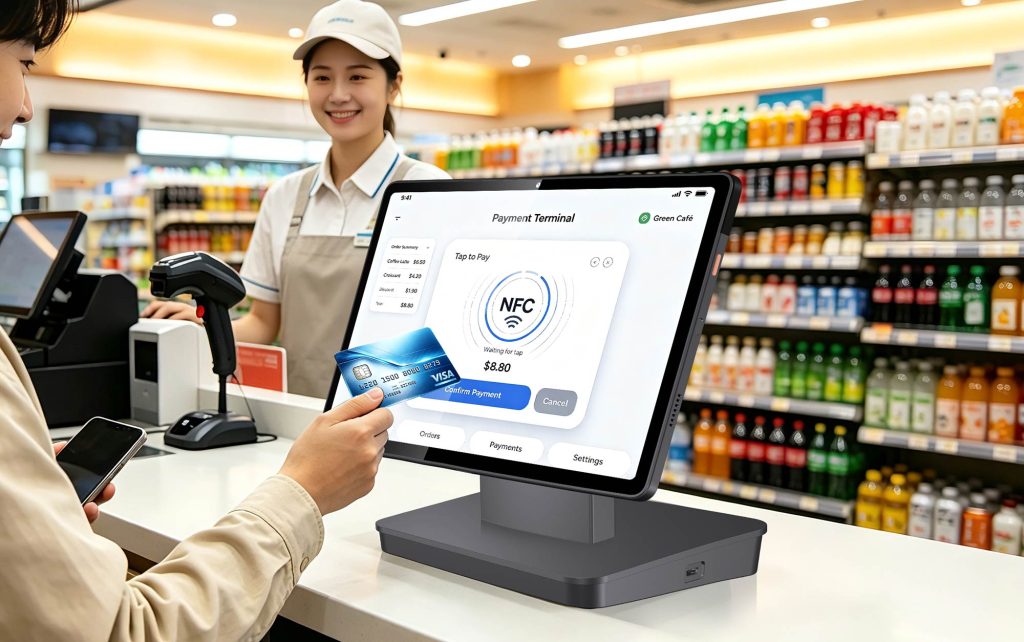
Managing a few Android POS terminals in a single retail store is relatively simple. But what happens when a business expands to 20, 50, or even 100 locations?
Installing POS applications, updating software, configuring devices, and troubleshooting technical issues become more complicated when terminals are distributed across different stores.
For retail chains, POS distributors, and system integrators, the challenge goes beyond purchasing reliable POS hardware. They also need a practical way to manage devices throughout their operational lifecycle.
Centralized Android POS device management helps businesses organize terminals, perform supported remote operations, and reduce repetitive manual work.
This guide explains how remote POS management works, where it can reduce operational workload, and what B2B buyers should consider when choosing Android POS hardware with MDM integration.
1. Why Managing Android POS Devices Across Multiple Stores Is Challenging
Consider a retail chain operating 30 stores, each equipped with four Android POS terminals. That represents 120 devices requiring software maintenance, configuration management, and technical support.
Without a centralized management platform, several problems can arise:
- Manual software installation: Technicians may need to install or update applications on individual terminals.
- Inconsistent configurations: Different locations may use different application versions or device settings.
- Time-consuming troubleshooting: Store employees may need to contact support teams or wait for on-site assistance.
- Limited device organization: Tracking devices across different stores becomes increasingly complicated.
- Growing maintenance workload: POS distributors and integrators must support more terminals as their customer networks expand.
These challenges can increase the total cost of operating a POS deployment beyond the initial hardware purchase.
A centralized management approach helps businesses coordinate routine tasks and maintain more consistent device environments.
2. Manual vs Centralized Android POS Device Management
Mobile Device Management (MDM) provides a centralized interface for managing compatible Android devices.
For multi-store retail operations, an Android POS MDM solution can help administrators manage applications, organize terminals, and perform supported configuration changes without handling every device individually.
The following comparison illustrates the practical differences.
| Management Task | Manual POS Management | Centralized MDM |
|---|---|---|
| Application installation | Install applications on individual devices | Remotely distribute supported applications |
| Software updates | Update terminals separately | Centrally manage supported app updates |
| Device configuration | Configure each terminal manually | Apply supported remote settings |
| Technical troubleshooting | Rely on local staff or on-site technicians | Use supported remote control and management functions |
| Multiple-store deployment | Maintain separate device records | Organize terminals into device groups |
| User access | Coordinate responsibilities manually | Manage access through accounts and permissions |
Centralized MDM does not eliminate every maintenance issue. Hardware failures, network outages, and certain software problems may still require on-site intervention.
However, reducing repetitive administrative tasks can make large Android POS deployments easier to operate.
3. Android POS Remote Management with NORYOX MDM Platform
NORYOX offers its own MDM Platform to support compatible Android POS devices.
The platform includes application management, device management, data management, system configuration, remote management, and sub-account functions.
These capabilities can support POS distributors, system integrators, and retailers managing terminals across multiple locations.
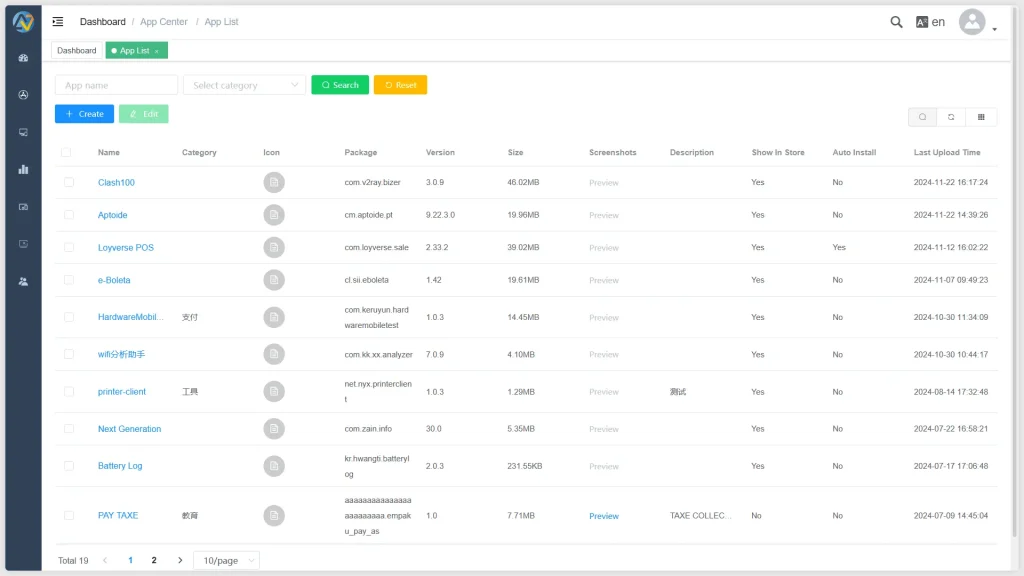
Remote POS Software Updates and Application Management
POS software requires ongoing maintenance. Businesses may need to install new applications, distribute updated versions, or remove applications that are no longer required.
The NORYOX MDM Platform includes an application center for managing APK packages, application versions, and installation settings.
It supports remote application installation and updates on compatible devices.
For businesses operating multiple stores, centralized application management can reduce repetitive installation work and help maintain more consistent software environments.
It also gives POS distributors a structured way to coordinate application maintenance for supported customer devices.
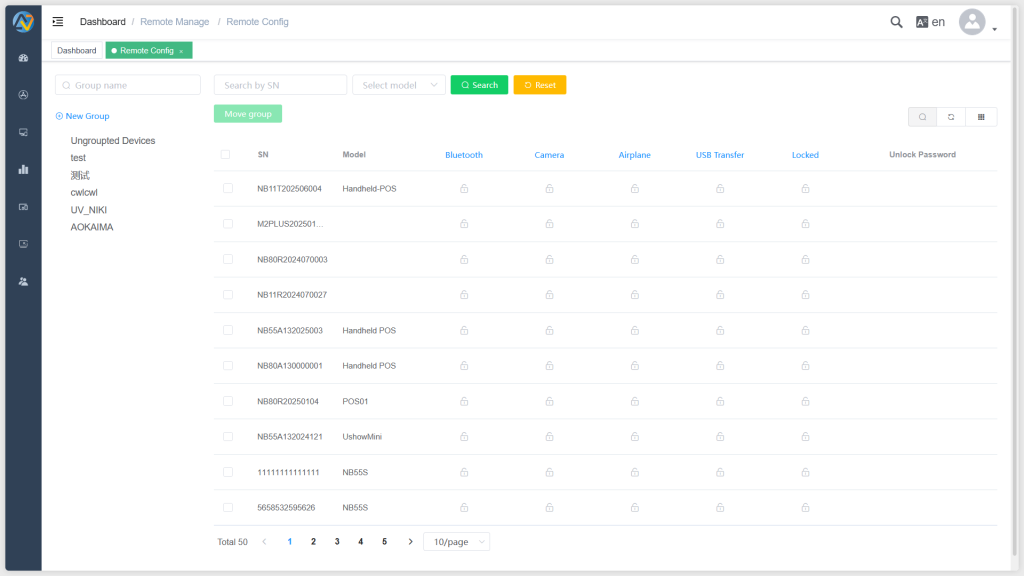
Remote POS Device Configuration and Troubleshooting
Remote POS device management is particularly useful when terminals are installed across different cities or retail locations.
The NORYOX MDM Platform provides remote configuration and control capabilities, including supported settings related to:
- Bluetooth and camera access
- Airplane mode
- USB data transfer
- Device locking
- Remote application removal
The platform also supports remote control functions.
These tools allow authorized administrators to perform supported operations without physically accessing every terminal.
For example, a support team may be able to review or adjust relevant settings remotely before deciding whether an on-site technician is necessary.
Available functions depend on the POS model, software environment, and project configuration.
Device Grouping and Sub-Account Management
As device networks expand, administrators need an organized way to manage different terminals and users.
The NORYOX MDM Platform supports device grouping and sub-account management.
Retail operators can organize compatible devices according to operational requirements, while distributors and integrators can structure device management responsibilities for different projects.
Sub-account permissions can also help control administrative access.
The exact account structure and permission configuration should be defined according to the deployment requirements.
4. How Android POS Bulk Deployment Can Reduce Manual Work
Deploying Android POS devices across multiple retail locations involves more than shipping hardware.
Each terminal may require POS software installation, device configuration, network setup, peripheral testing, and payment application integration.
When these tasks are repeated across hundreds of terminals, even small manual steps can create substantial operational workload.
An Android POS bulk deployment strategy should therefore consider both hardware preparation and ongoing remote management.
Three practical steps can improve the process:
Standardize device configurations. Define required applications, supported settings, and software versions before distributing terminals.
Use centralized application management. Where supported, remotely install or update applications instead of repeating the same process at every location.
Organize devices by deployment requirements. Use device groups and appropriate account permissions to make ongoing administration more manageable.
The actual reduction in maintenance work depends on the project scale, device compatibility, connectivity, and support procedures.
For POS distributors, centralized management can also make after-sales technical support easier to coordinate as the number of deployed terminals increases.
5. Choosing Android POS Hardware with MDM Integration
Not every Android POS terminal supports the same remote management capabilities.
Before purchasing hardware for a multi-store project, B2B buyers should evaluate the relationship between the POS device, its operating system, the required applications, and the management platform.
Important considerations include:
Hardware compatibility: Verify that the selected Android POS models support the required MDM functions.
Application integration: Test the customer’s POS software, barcode scanning, receipt printing, and applicable payment integrations.
Network connectivity: Confirm that terminals can communicate reliably with the management platform in their intended environment.
Remote management requirements: Identify whether the project requires application updates, remote configuration, device grouping, or access controls.
Long-term technical support: Clarify responsibilities for software maintenance, hardware support, and future device expansion.
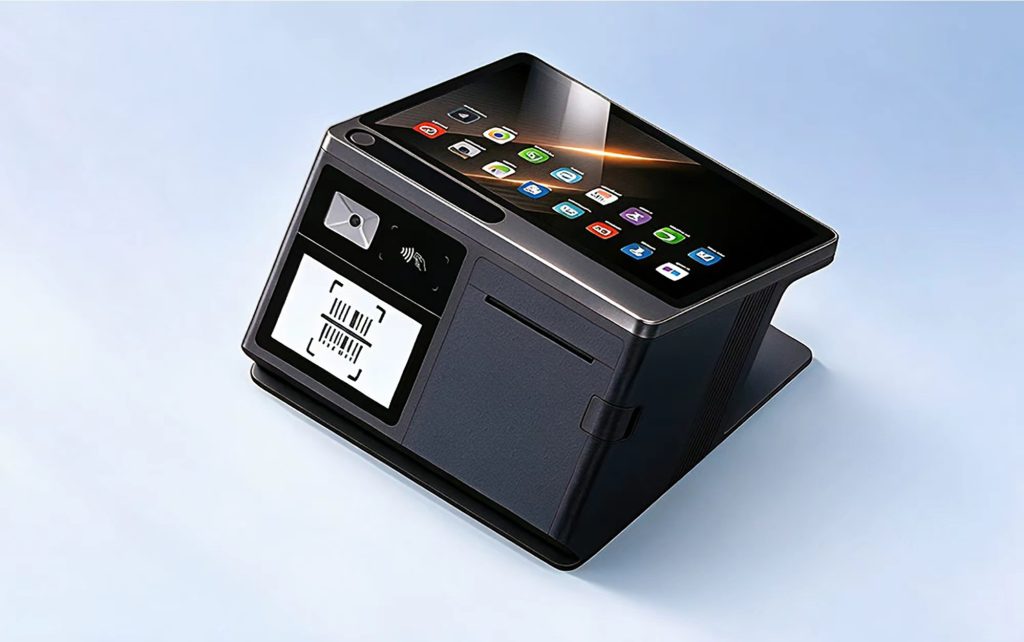
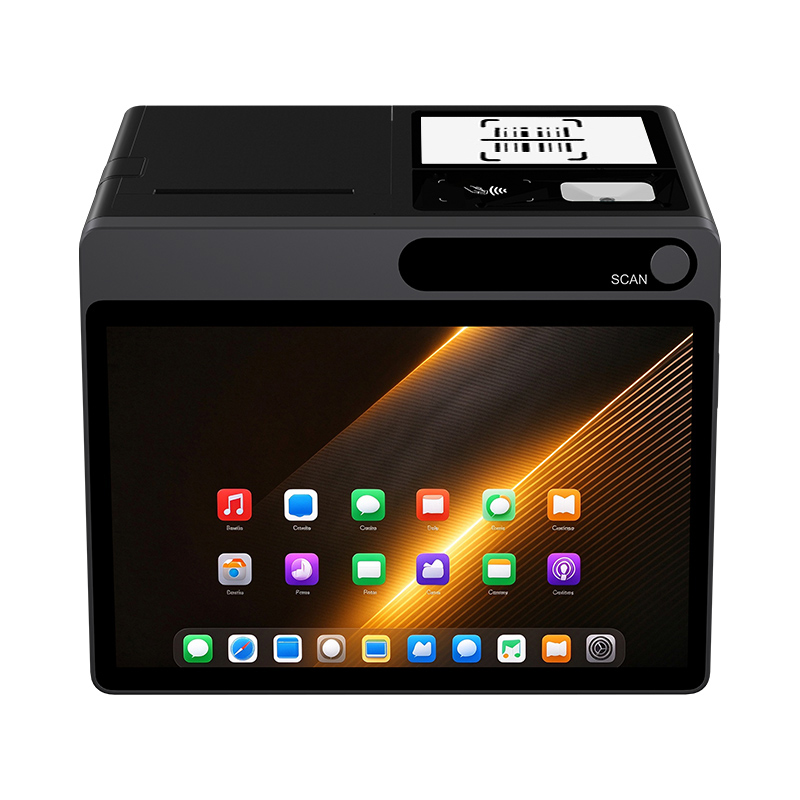
NORYOX offers compatible Android POS hardware, including the NB60 handheld POS terminal, NB80 handheld POS terminal, and TPAD Android business tablet.
Customers should confirm model-specific configurations and integration requirements before deployment.
6. NORYOX Android POS Hardware + MDM Solution for B2B Projects
For POS distributors, retail solution providers, and system integrators, choosing hardware and device management separately can introduce additional integration work.
NORYOX combines Android POS hardware development, manufacturing capabilities, and its own MDM Platform.
This allows customers to discuss POS hardware selection and remote device management requirements within the same project.
The NORYOX MDM Platform is available as an optional or customized solution based on project requirements. Integration scope, available functions, and commercial terms are confirmed during project evaluation.
When requesting a solution, buyers should provide their target country, estimated device quantity, preferred POS models, existing POS software, and required remote management functions.
Discuss Your Android POS + MDM Deployment with NORYOX
Planning to deploy Android POS terminals across multiple retail locations or supply devices to overseas retail customers?
NORYOX can help evaluate compatible POS hardware and optional MDM capabilities for your project.