

Short answer: The best SoftPOS-ready Android tablet for UK retail in 2026 is an 11-inch device with Android 14 GMS, full NFC payment protocols (ISO 14443 A/B, Mifare1, SL3, Felica), a hardware-backed keystore, 8+ hours battery, built-in scanner, and commercial ports such as USB-A, RJ12 and LAN. These specs let you run Tap-to-Pay apps from UK acquirers without a separate card machine.
What “SoftPOS-ready” actually means for UK retail
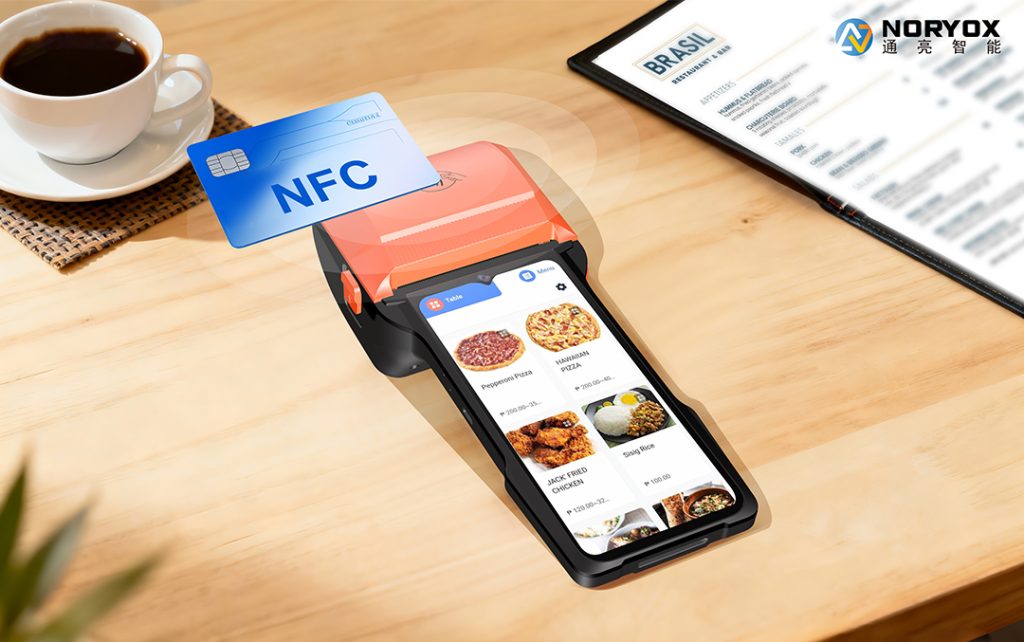
SoftPOS turns an Android tablet into a contactless terminal by using the built-in NFC controller and a certified payment app. No external card reader is required for tap payments, although a printer, cash drawer or scanner may still be useful at a fixed till. For UK shops, “SoftPOS-ready” is not just “has NFC”. It means the device can pass the acquirer’s security checks and complete EMV contactless transactions in a busy queue.
CCV’s Android SoftPOS device requirements ask for NFC enablement, Google Mobile Services certification, Play Integrity checks, a hardware-backed keystore, regular security updates, and minimum Android levels depending on integrity mode; enterprise devices are advised to target EMV contactless Level 1. PCI materials distinguish CPoC for contactless-only and MPoC for broader mobile payment software on commercial devices, so buyers should ask whether the app provider and device combination has been validated for the planned workflow.
What specs to check before buying an 11 inch Android POS tablet with NFC in the UK
Use this checklist when comparing 11-inch models.
- NFC protocol stack, not just “NFC supported”
A retail SoftPOS tablet should support ISO/IEC 14443 Type A and B as the base contactless standard. For broader UK and tourist acceptance, add Mifare1, SL3 and Felica. SL3 covers higher-security Mifare implementations; Felica matters for some international mobile wallets and transit cards. If a vendor only says “NFC payments supported”, ask for the EMVCo/EMV Level 1 status and the exact protocol list. - Android version and GMS certification
Most UK SoftPOS apps distribute through Google Play and rely on Play Integrity. A GMS-certified device reduces the risk of failed attestation. Android 14 is a sensible 2026 baseline for new retail fleets: it gives current security patches, longer support window and better app compatibility. Some providers still support older versions, but buying Android 12 or 13 in 2026 means a shorter update life. - Hardware-backed keystore and anti-tamper
SoftPOS apps handle sensitive payment data. The tablet should use a hardware-backed keystore, preferably with a trusted execution environment or secure element depending on the app architecture. Rooted, unlocked or uncertified devices should be rejected because payment apps may refuse to run. - Battery for an 8-hour retail shift
A fixed till can stay plugged in, but mobile checkout, pop-ups and market stalls need autonomy. Look for 6000mAh or equivalent and real-world figures rather than marketing “standby” numbers. For example, an 11-inch commercial tablet rated 8–10 hours active use is more suitable for all-day UK retail than a consumer tablet that drops to 4–5 hours under NFC, scanner and 4G load. - Commercial ports and built-in peripherals
A true retail POS tablet should reduce dongles. Check USB-A for scanner/printer, RJ12 for cash drawer, LAN for wired network stability, Bluetooth for wireless printer or peripheral, and optionally serial/secondary display outputs. A built-in 1D/2D scanner speeds checkout compared with camera scanning. If you run a static supermarket till and a mobile apparel assistant from the same device family, port layout becomes a procurement decision, not a detail. - Connectivity: Wi-Fi, 4G/5G, dual SIM
Wi-Fi 5/6 is fine for fixed stores, but 4G LTE helps pop-ups, outdoor events and backup when broadband fails. In rural UK, check LTE bands such as B20 and B28 separately; for general retail, dual-band Wi-Fi, 4G and dual SIM give the most uptime options. - MDM and fleet management
Chains need remote app deployment, lock-down mode, certificate management and device health. Ask whether the tablet supports Android Enterprise, third-party MDM, or vendor SDK. A single shop may not need MDM on day one, but if you plan 5–50 devices, MDM saves support time.
Comparison: consumer tablet vs 11″ SoftPOS-ready retail tablet
|
Need
|
Consumer 11″ Android tablet
|
11″ SoftPOS-ready retail tablet
|
|---|---|---|
|
NFC for payments
|
Often basic tag read, unclear EMV Level 1
|
Full 14443 A/B, Mifare1, SL3, Felica, payment-grade controller
|
|
GMS/Play Integrity
|
Sometimes OK, sometimes uncertified models
|
GMS-certified, documented attestation
|
|
OS updates
|
1–2 years typical
|
Commercial support cycle, Android 14 baseline preferred
|
|
Scanner
|
Camera only
|
Built-in 1D/2D
|
|
Ports
|
USB-C, maybe headphone
|
USB-A x multiple, RJ12, LAN, optional serial
|
|
Battery under POS load
|
4–6h common
|
8–10h target
|
|
MDM/SDK
|
Limited
|
Android Enterprise/MDM/SDK options
|
|
Cash drawer/printer
|
Dongles
|
Native RJ12/USB/LAN
|
The point is not that consumer tablets never work; it is that retail operations fail on edge cases—a tourist card, a busy Saturday, a drawer trigger, a remote update. A purpose-built 11-inch model reduces those failures.
Why 11 inches fits UK retail
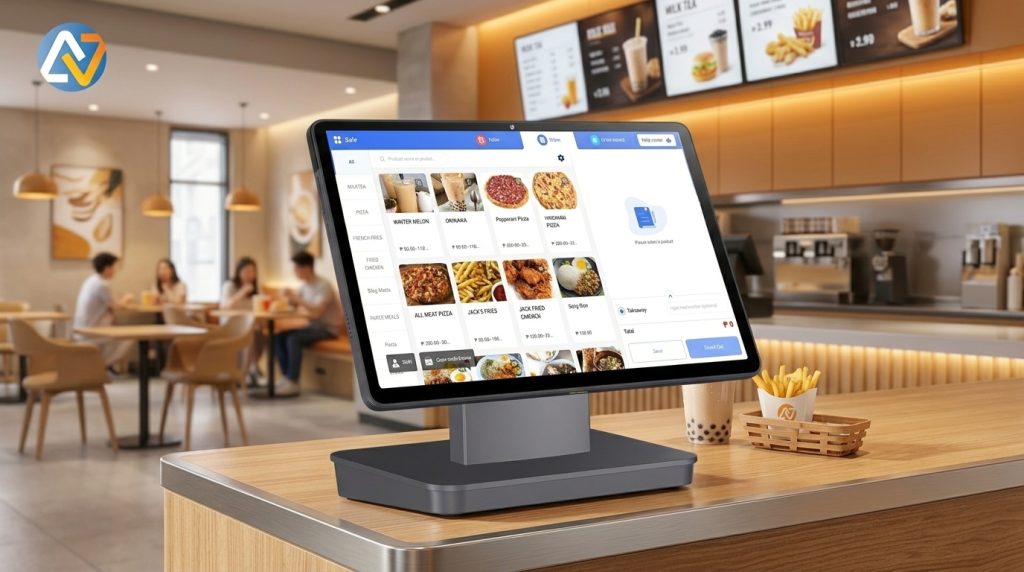
8–10-inch tablets are portable but cramped for product images, soft-keyboard POS UI, customer signature and NFC guidance on the same screen. 12–15-inch units are good for fixed checkout but heavier for assisted selling. An 11-inch 1920×1200-class IPS panel is a practical middle ground: enough space for basket, promotions and tap zone, still light enough for mobile checkout. For under-screen NFC, place the tap target in the lower-centre area and print a small “tap here” mark; it avoids the confusion of edge-mounted antennas.
UK acquirer and app compatibility
SoftPOS in the UK runs through acquirers and app providers rather than the tablet alone. Common evaluation names include Worldpay, Tyl by NatWest, SumUp, Stripe, Phos, Felix and Visa Tap to Pay depending on merchant profile. The tablet must be on the provider’s supported device list or pass a test activation. Before rollout:
- Install the exact SoftPOS app from Google Play on a test unit
- Complete device attestation and a £1.00 test tap
- Test Apple Pay, Google Pay, Visa/Mastercard contactless, and one international wallet if you serve tourists
- Test refund, receipt (email/SMS/print), and offline handling rules
- For PIN above contactless limits, confirm whether the app uses customer-device confirmation or on-tablet PIN under PCI MPoC/sPOC scope
Do not assume “Android + NFC” equals “approved”. Approval is app-, region- and sometimes merchant-risk-specific.
Security and compliance checklist for 2026
- GMS-certified, not rooted
- Android 14 recommended for new fleets; minimum per acquirer
- Hardware-backed keystore/TEE
- NFC EMV Level 1 recommended for enterprise retail
- Full protocol stack: 14443 A/B, Mifare1, SL3, Felica
- Screen lock, encryption, timed lockout
- Regular OTA security patches
- MDM for lock-down, app whitelisting and remote wipe
- Acquirer-approved SoftPOS app with PCI CPoC/MPoC validation where applicable
The FCA’s March 2026 removal of the mandatory £100 contactless cap lets banks set their own limits; this increases the value of payment-grade NFC and future-proof firmware because transaction limits and wallet behaviour will keep changing.
Example retail deployment
A UK convenience chain replacing 10 counters:
- Device: 11″ Android 14 GMS tablet, under-screen NFC, 8-core CPU, 6GB RAM, 128GB storage
- NFC: ISO 14443 A/B, Mifare1, SL3, Felica
- Battery: 6000mAh, 8–10h
- Peripherals: built-in scanner, USB-A printer, RJ12 cash drawer, LAN at back office, 4G backup
- Software: acquirer SoftPOS app + retail POS app, MDM for app push and lock-down
- Test: 50 test taps across contactless cards, Apple Pay, Google Pay, Felica tourist card; one week pilot before full rollout
This profile avoids consumer-tablet problems: weak NFC protocols, no drawer port, short battery, no fleet control.
Where the NORYOX TPAD 11″ fits
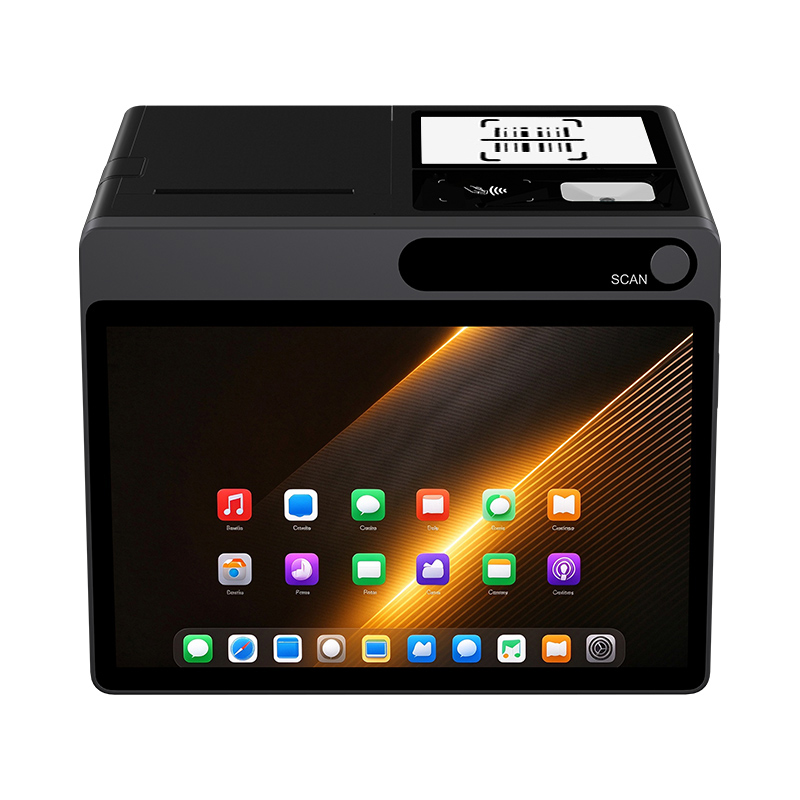
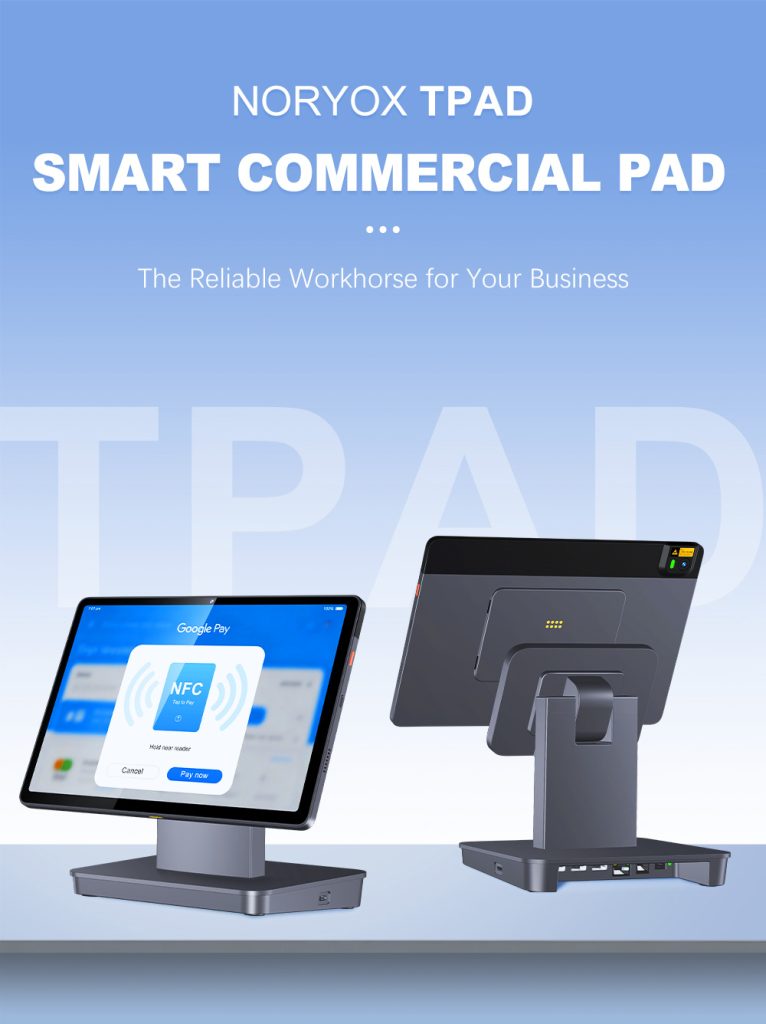
For buyers shortlisting an 11-inch UK model, the TPAD 11″ matches the retail checklist: Android 14 GMS, 11-inch FHD IPS, under-screen NFC with ISO 14443 A/B, Mifare1, SL3 and Felica, built-in 1D/2D scanner, 6000mAh rated 8–10 hours, 4G LTE, dual SIM option, 3× USB-A, RJ12 and LAN, plus MDM/SDK support. It is positioned as a SoftPOS-ready commercial tablet rather than a consumer Android slate. Exact acquirer approval still depends on the SoftPOS app and merchant account, so run a pilot before store-wide deployment.
FAQ
Q: Can any 11-inch Android tablet run SoftPOS in the UK?
A: No. It needs GMS certification, compatible Android version, hardware-backed security, full payment NFC protocols and acquirer app approval. Many consumer tablets fail on EMV Level 1, GMS attestation or commercial ports.
Q: Is Android 14 necessary in 2026?
A: Not always, but it is the safest new-buy baseline. Android 12/13 may work with certain providers; Android 14 gives longer update support and fewer compatibility issues with new SoftPOS releases.
Q: What NFC protocols are mandatory for UK retail SoftPOS?
A: At minimum ISO 14443 Type A/B. Add Mifare1, SL3 and Felica for wider card and wallet support. Enterprise rollouts should ask for EMV Level 1 validation.
Q: Do I still need a card machine if I use SoftPOS?
A: For contactless taps within app/acquirer limits, a separate reader is not required. Add a printer, cash drawer and scanner based on your till workflow. PIN above contactless limits depends on the app’s PCI scope.
Q: How much battery should an 11-inch retail POS tablet have?
A: Target 8+ hours active use. A 6000mAh class battery can cover a full shift with NFC, scanner and 4G, but always test with your actual POS and SoftPOS apps.
Q: Should a retail SoftPOS tablet have MDM?
A: Single-device shops can start without it. For 5+ devices, MDM reduces update, security and app-deployment overhead and prevents staff installing unrelated apps.
Conclusion
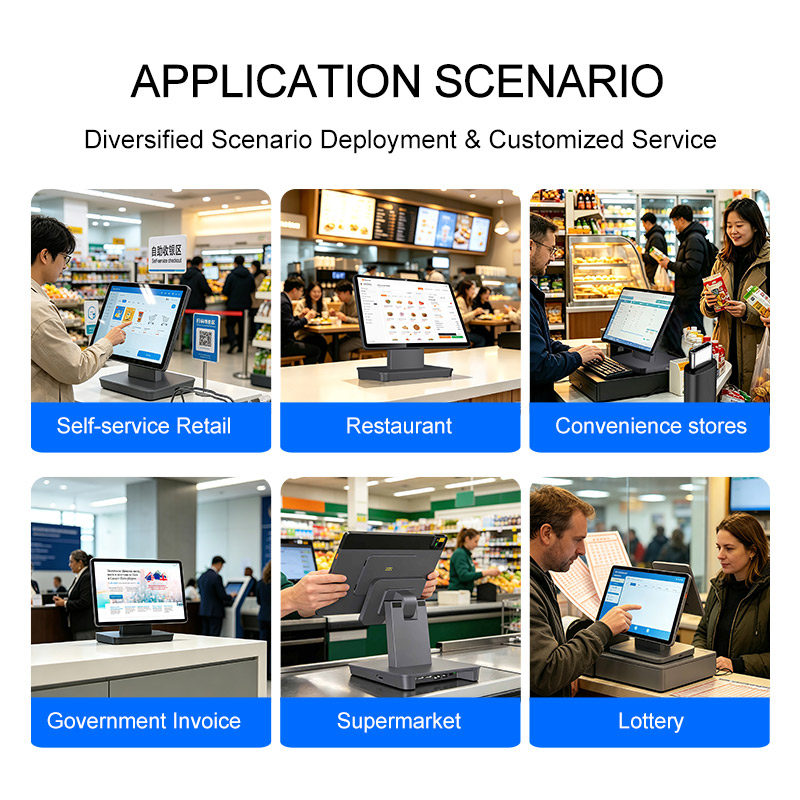
The best SoftPOS-ready Android tablet for retail in 2026 is not the cheapest 11-inch slate with NFC; it is the device that passes acquirer security, reads every common contactless card and wallet, runs a full shift, connects to your scanner/printer/drawer, and can be managed across stores. For UK retail, specify Android 14 GMS, complete NFC protocols, hardware-backed security, 8–10-hour battery, commercial ports and MDM readiness. An 11-inch model such as the NORYOX TPAD 11″ covers these requirements for supermarket, apparel, café, pop-up and multi-store deployments, but final approval should always include a live SoftPOS pilot with your acquirer.
Internal links:
- Can I use a normal Android tablet as POS in the UK?
- NFC protocols required for SoftPOS
- How to set up SoftPOS on Android tablet in the UK
- LTE B20/B28 rural retail tablet
- TPAD 11″ product specifications
External reference style: CCV SoftPOS device requirements, PCI MPoC/CPoC guidance, UK Payments/FCA contactless limit reporting.