

Professional POS Tablet vs Consumer Tablet for Retail 2026: 11-Inch Buying Guide
In short: For UK stores handling daily checkout operations, dedicated POS tablets are generally the more reliable choice, as they are purpose-built for payment-grade NFC, GMS/Play Integrity certification, integrated barcode scanning, interfaces for cash drawers and printers, MDM (Mobile Device Management), and intensive, multi-shift use. While consumer-grade tablets can serve pilot programs, low-frequency transactions, or back-office tasks, they often require additional peripherals—such as card readers and hubs—and rely on manual assistance. When deploying an 11-inch SoftPOS solution, you should explicitly require support for Android 14 GMS, a full suite of NFC protocols, a battery life exceeding 8 hours, commercial-grade I/O ports, and remote management capabilities, while also confirming the specific device model with your acquirer.
What “professional POS tablet” means in retail
Professional retail tablets are far more than just consumer-grade devices with larger screens. Engineered specifically for stationary or mobile point-of-sale (POS) environments, they offer extended daily uptime, a manageable Android OS, NFC capabilities compliant with payment security standards, commercial-grade interfaces, barcode scanning functionality, and fleet management capabilities. Their value lies not merely in hardware specifications, but in their ability to minimize the risk of failure during peak business hours.
Consumer-grade tablets are designed for personal use—browsing the web, watching videos, handling email, and running everyday applications. While they can run POS software, features such as payment processing, scanning, and peripheral connectivity are often merely add-ons. Such solutions might suffice for market stalls or pilot programs involving a single checkout terminal; however, their limitations quickly become apparent when deployed in convenience stores, clothing chains, high-traffic cafés, or scenarios requiring multi-device setups.
Consumer-grade tablets are designed for personal use—browsing the web, watching videos, handling email, and running everyday applications. While they can run POS software, features such as payment processing, scanning, and peripheral connectivity are often merely add-ons. Such solutions might suffice for market stalls or pilot programs involving a single checkout terminal; however, their limitations quickly become apparent when deployed in convenience stores, clothing chains, high-traffic cafés, or scenarios requiring multi-device setups.
Where the two categories differ
- NFC and SoftPOS approval
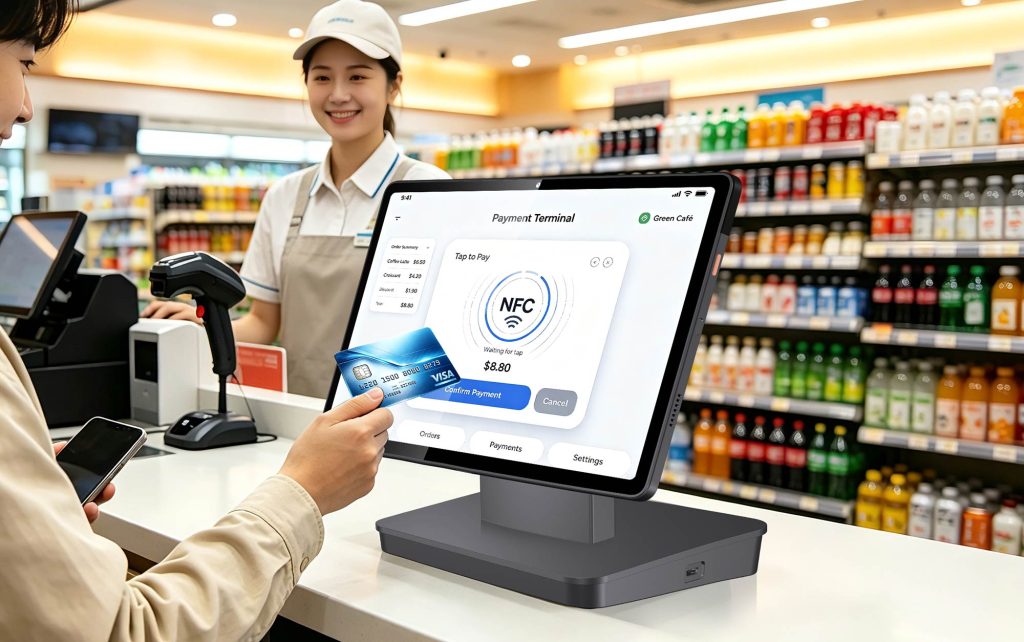
SoftPOS technology enables a tablet’s NFC controller to function as a contactless payment acceptance point. This requires more than just basic NFC support; CCV’s specific requirements for SoftPOS devices include: NFC capability; an NFC chip certified to EMVCo EMV Level 1 standards for enterprise applications; hardware-backed keystore support; GMS certification; and pre-installation of Google Play with successful Play Integrity checks. For Android commercial off-the-shelf (COTS) devices, a minimum of Android 10 (with Android 11 or higher recommended) is advised, along with regular security updates; additionally, device builds running Android 12 or 13 must meet specific “device integrity” or “strong integrity” requirements depending on the version. While consumer-grade tablets may feature NFC capabilities for tag reading or peer-to-peer data transfer, not all devices offer a certified, EMV-tested contactless payment protocol stack that meets payment-grade standards.
For UK retail, check ISO/IEC 14443 Type A/B as baseline; add Mifare1, SL3 and Felica if you serve loyalty cards, newer Mifare security profiles or international wallets. Always confirm the exact tablet build is on the acquirer’s supported list before rollout.
- GMS, Android version and security updates
Most UK SoftPOS apps distribute through Google Play and rely on Play Integrity. A GMS-certified device reduces attestation problems; rooted, tampered or uncertified builds are commonly rejected. For new retail fleets in 2026, Android 14 is a reasonable baseline because it gives a longer patch window and better app compatibility; some providers still support Android 12/13, but buying older versions shortens the support life.
Ask the supplier for a written security-patch commitment. A consumer model may stop receiving updates after 1–2 years; a commercial POS supplier should give a patch SLA and model continuity for fleet buys.
- Built-in scanning vs camera scanning
Consumer tablets use the camera. That is fine for occasional price checks but slower for supermarket, pharmacy, apparel replenishment or warehouse-adjacent retail. A professional 11-inch POS tablet often includes a 1D/2D imager so staff scan barcodes, QR loyalty codes and stock labels without third-party camera apps. If your workflow is scan-heavy, built-in imaging is a productivity decision, not a luxury. - Ports: cash drawer, printer, LAN, USB
A retail till usually needs more than one USB-C. Typical commercial requirements include USB-A for scanner or printer, RJ12 for cash drawer, RJ45/LAN for wired network stability, and sometimes serial or customer-display output. Consumer tablets normally rely on hubs and Bluetooth adapters, which add pairing, charging and failure points.
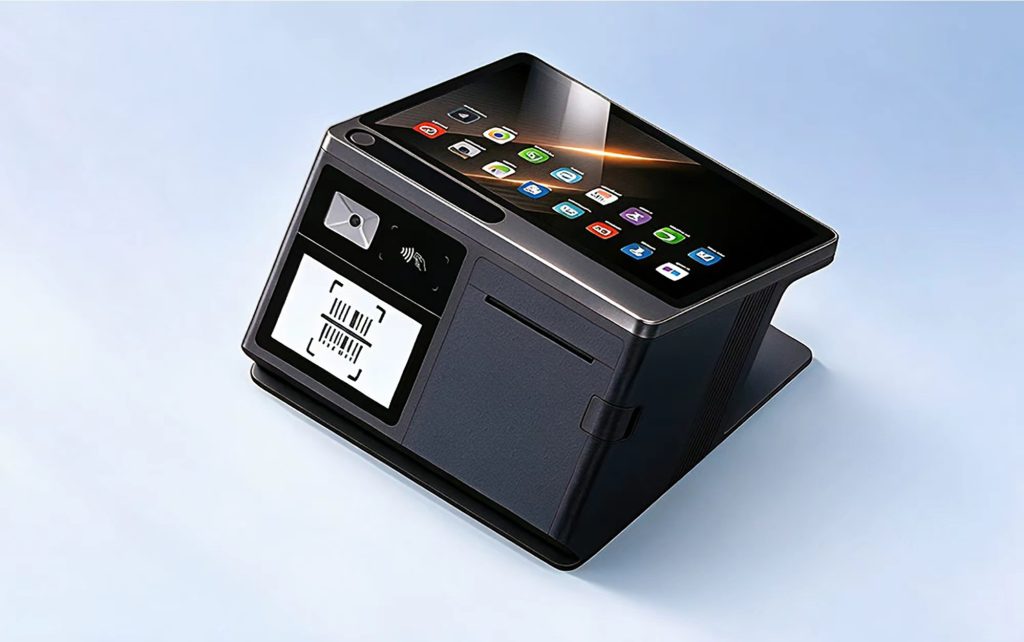
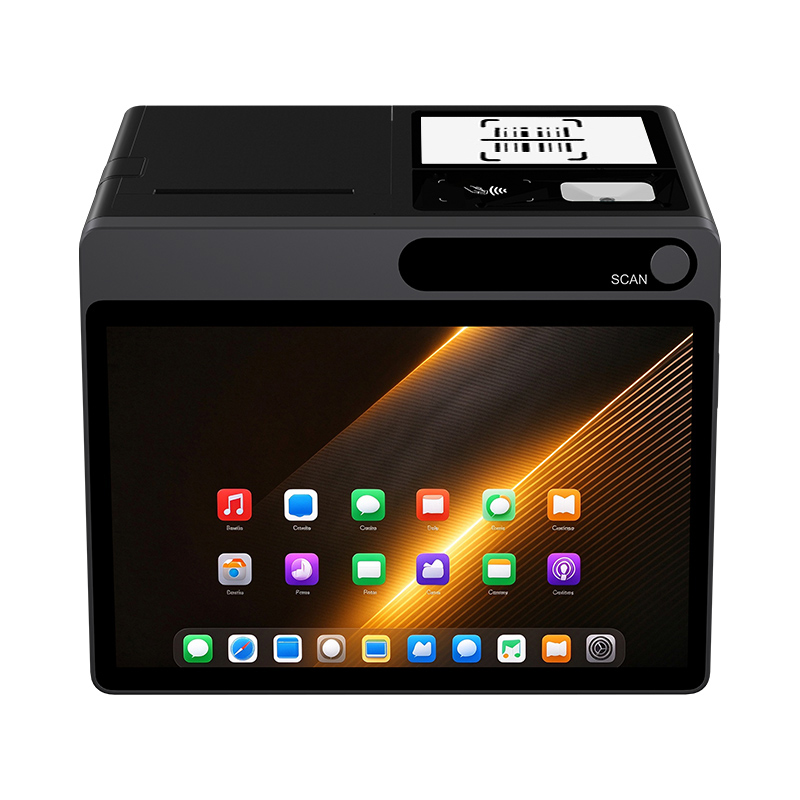
A purpose-built 11-inch model such as the NORYOX TPAD 11″ lists 3× USB-A, RJ12 and LAN alongside Wi-Fi/4G, under-screen NFC, built-in 1D/2D scanning and Android 14 GMS. That configuration reduces external dongles for counter, mobile and hybrid checkout. Other commercial brands should be evaluated against the same port list rather than by screen size alone.
- Battery and shift model
Fixed counters can run on mains, but mobile checkout, pop-ups and queue-busting need active-use battery. A 6000mAh-class 11-inch commercial tablet rated 8–10 hours is a sensible retail target; some commercial 11-inch models use larger cells, so compare active POS load rather than standby. Consumer tablets vary widely; many deliver fewer hours once NFC, scanner, 4G and a bright display run together. - MDM, kiosk mode and fleet consistency
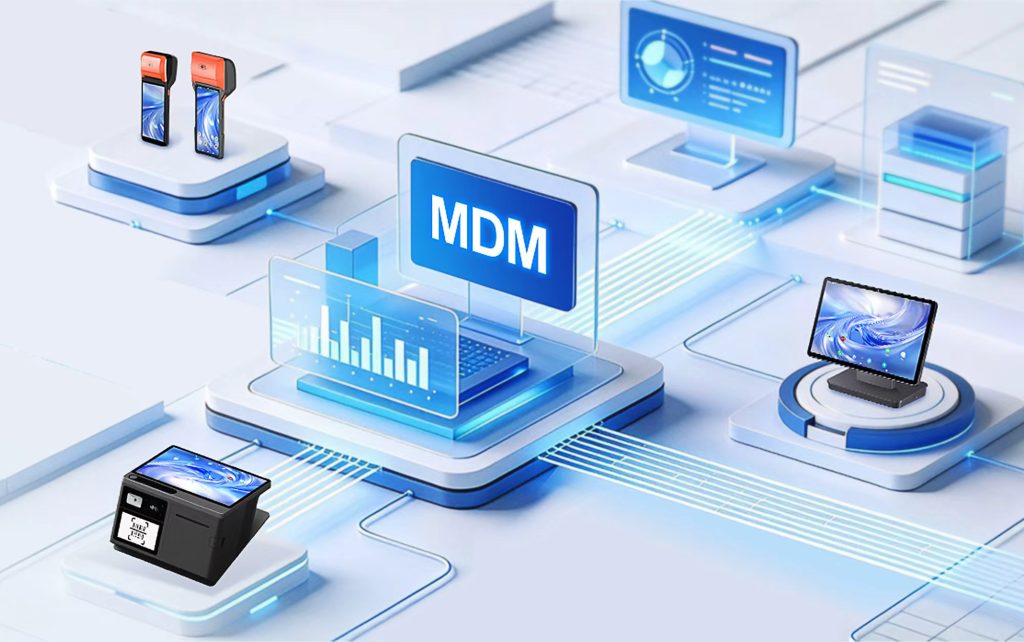
Single-store operators can configure devices manually. Five or fifty stores cannot. Professional tablets should support Android Enterprise/MDM enrollment, kiosk/lockdown, app whitelisting, remote wipe, OTA staging and audit logs. Consumer devices rarely offer consistent commercial MDM unless they are enterprise SKUs, and model changes between batches can break configuration parity. - Durability, warranty and commercial duty
Retail counters get dust, spills, cleaning, drops and all-day touch. Commercial tablets are often rated for higher duty cycles, reinforced touchglass, IP-rated enclosures on selected models, aluminium housings and commercial warranties. Consumer warranties may exclude all-day commercial use, which matters when a failure occurs on a Saturday morning.
Specification comparison for retail buyers
|
Requirement
|
Consumer tablet
|
Professional 11-inch POS tablet
|
|---|---|---|
|
NFC for SoftPOS
|
Often basic tag read; EMV Level 1 varies
|
Payment-grade 14443 A/B, Mifare1, SL3, Felica; EMV L1 per build
|
|
OS and attestation
|
Stock Android/iOS; GMS varies
|
Android 14 GMS, Play Integrity, hardware keystore
|
|
Scanner
|
Camera only
|
Built-in 1D/2D optional/integrated
|
|
Ports
|
USB-C; hubs for everything
|
USB-A, RJ12, LAN, BT, optional serial/display
|
|
Battery
|
4–10h mixed; varies
|
6000–8000mAh+ class, 8–10h+ active target
|
|
Management
|
Manual or consumer family controls
|
MDM/kiosk, OTA staging, remote wipe
|
|
Support cycle
|
1–2 years typical
|
Patch SLA, model continuity, commercial warranty
|
The table is not “consumer bad, commercial good”. It shows where total risk moves. A consumer tablet has lower upfront price but more external dependencies; a professional tablet has higher upfront price but fewer adapters, attestation surprises and manual fixes.
When a consumer tablet is the right call
Be straight with the buyer:
- very low transaction volume, one register, separate approved card reader;
- back-office inventory, catalogue or staff training, not main checkout;
- short event or market trial before committing to commercial hardware;
- budget proof-of-concept where you test POS software, not full peripheral automation.
In these cases, avoid rooting the device, keep Android updated, install the acquirer app only from Google Play, enable screen lock, and test contactless taps before going live.
When to choose a professional 11-inch POS tablet
Choose commercial hardware if the store needs two or more of these:
- SoftPOS as primary contactless acceptance, no separate reader;
- barcode scanning for every sale or stock check;
- cash drawer kick, thermal printer and wired network;
- 8+ hours mobile or semi-mobile checkout;
- MDM across multiple devices or stores;
- predictable replacement cycle and commercial warranty.
An 11-inch format fits UK retail because it shows basket, product image, soft-keyboard POS UI and a tap zone without feeling heavy for assisted selling. Eight- to 10-inch models are more portable but tighter for rich POS layouts; 12-inch-plus models are good for fixed counters but less convenient for floor walking.
SoftPOS compliance checklist
Before any 11-inch tablet goes live:
- confirm Android version and GMS certification for the exact SKU;
- confirm NFC protocols and EMV Level 1/EMVCo PCD status for the shipped build ;
- enable hardware-backed keystore/TEE, screen lock, encryption;
- install the acquirer SoftPOS app from Google Play only ;
- test contactless cards, Apple Pay, Google Pay and, if relevant, Felica/Mifare SL3;
- run a £1.00 live tap, a refund, an offline-recovery test and a printer/drawer test;
- enrol the device in MDM with app allowlist and staged updates;
- document patch responsibility with the supplier for 3–5 years.
Approval is app-, region- and merchant-risk-specific. “Android + NFC” does not guarantee acquirer approval.
Total cost of ownership, not ticket price
A consumer tablet may cost less initially, but retail TCO includes scanners, NFC readers, USB hubs, printers, drawer adapters, spare batteries, MDM licences, replacement units, downtime and support time. One POSzeo B2B framework prices per-lane peripherals such as printer $150–$350, scanner $100–$300, cash drawer $80–$200 and cables $50–$150, with failure/RMA and downtime costs on top; commercial-grade programmes can reduce long-term cost through lower failure rates, integrated peripherals and managed updates.
A simple buying rule: if the tablet is your primary till and a failure stops takings, choose professional. If the tablet is auxiliary or trial-only, a consumer device may be enough.
Example: 11-inch professional rollout vs consumer adapter setup
A UK convenience retailer replacing eight counters:
- Professional option: 11″ Android 14 GMS tablet, under-screen NFC with 14443 A/B/Mifare1/SL3/Felica, built-in 1D/2D, 6000mAh 8–10h, 3× USB-A, RJ12, LAN, 4G backup, MDM. One model across stores; acquirer SoftPOS app plus retail POS; one-week pilot per site.
- Consumer option: 11″ general tablet, camera scanning, Bluetooth scanner, USB-C hub for printer, separate NFC reader or external terminal, drawer relay adapter, manual updates on eight different builds.
The professional option costs more upfront but standardises ports, attestation and support. The consumer option looks cheaper at purchase and becomes operationally heavier as stores scale.

Where NORYOX TPAD 11″ fits without overclaiming
For buyers shortlisting an 11-inch UK SoftPOS tablet, TPAD 11″ matches the professional checklist: Android 14 GMS; under-screen NFC with ISO 14443 A/B, Mifare1, SL3 and Felica; built-in 1D/2D scanner; 6000mAh rated 8–10 hours; 3× USB-A, RJ12 and LAN; 4G LTE with dual-SIM option and rural B20/B28 variants in TPAD positioning; MDM/SDK support. It is positioned as a commercial SoftPOS-ready tablet rather than a consumer slate. Final acquirer approval still depends on the SoftPOS app, merchant account and exact firmware, so run a pilot before fleet deployment.
FAQ
Q: Can a consumer Android tablet be used as a retail POS in the UK?
A: Yes for low-volume or trial use. For SoftPOS it still needs GMS, a compatible Android version, hardware-backed security, payment-grade NFC and acquirer approval. Many consumer models need extra scanners, readers and hubs for a full till.
Q: Is Android 14 necessary for a professional POS tablet in 2026?
A: Not strictly; some acquirers support Android 12/13. Android 14 is recommended for new fleets because it gives longer security support and fewer compatibility issues with current SoftPOS apps.
Q: What NFC protocols should an 11-inch retail POS tablet support?
A: Baseline ISO/IEC 14443 Type A/B; add Mifare1, SL3 and Felica for wider card and wallet coverage. Ask for EMV Level 1/EMVCo PCD evidence for the exact device build.
Q: Do I need a built-in scanner or can I use the camera?
A: Camera scanning works for occasional use. Built-in 1D/2D scanning is better for convenience, supermarket, apparel price checks and any high-throughput queue.
Q: How does MDM reduce retail POS cost?
A: MDM enables remote app deployment, kiosk lockdown, staged OTA updates, attestation monitoring and remote wipe, which lowers manual configuration and incident handling across multiple stores.
Q: Is a professional tablet always cheaper than a consumer tablet?
A: Not at upfront purchase. Over 3–5 years, integrated ports, fewer adapters, lower failure rates and managed updates often reduce total cost for primary checkouts.
Conclusion
Choose a professional POS tablet when retail checkout depends on reliable SoftPOS, fast scanning, drawer/printer integration, shift-length battery and managed updates. Choose a consumer tablet for trials, auxiliary counters or back-office tasks where payment-grade NFC and full peripheral automation are not required. For 11-inch UK rollouts, specify Android 14 GMS, complete NFC protocols, EMV Level 1 validation for the build, built-in scanning, commercial I/O such as USB-A/RJ12/LAN, 8+ hours active battery and MDM readiness; then validate the exact model with your acquirer. The NORYOX TPAD 11″ is one option that meets this profile, but any shortlist should be tested with your POS software and SoftPOS provider before fleet purchase.